
8.8.3. Icon Plots
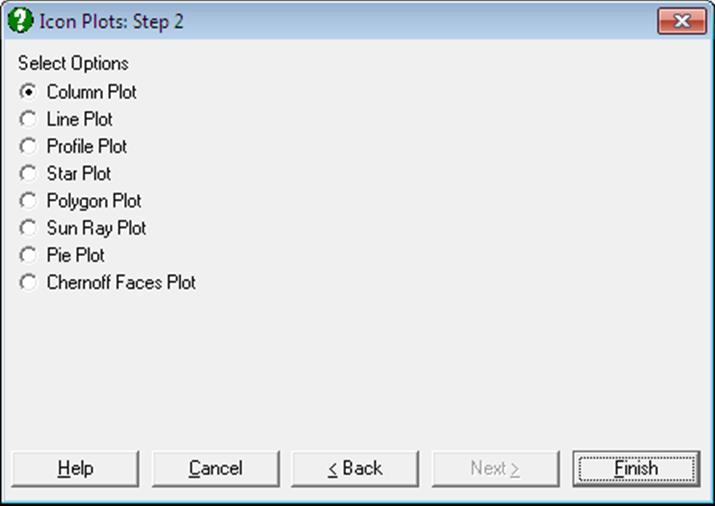
Icon Plots are used to visually inspect the patterns or relationships present within multidimensional (matrix) data. Each icon represents one row of the same set of variables. Each attribute of the icon represents a separate variable. Examining the icons can help to visually cluster cases or identify relationships between the variables.
Select the columns to be included in the plot by clicking on [Variable] in the Variable Selection Dialogue.
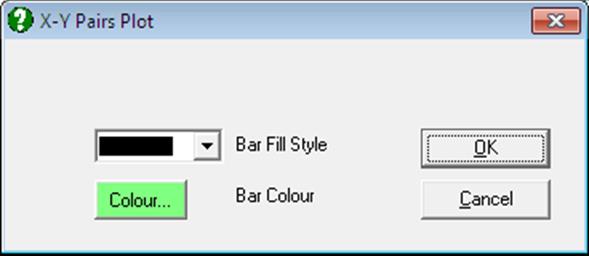
Once the plot is displayed, you will be able to change the number of icons displayed per row or per column from Edit → Axes menu option. The Edit → Bars dialogue can be used to change the colour or filling patterns of the histogram bars.
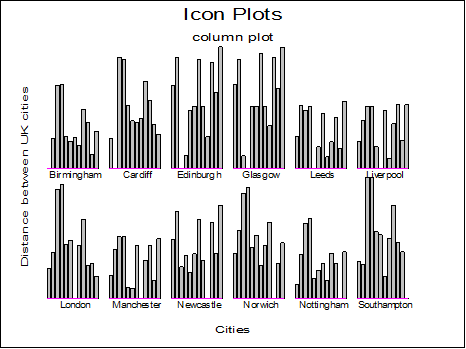
Column Plot: In column icon plot, a small bar chart is drawn for each row of the matrix. Each column in the chart represents the relative value of each selected variable.
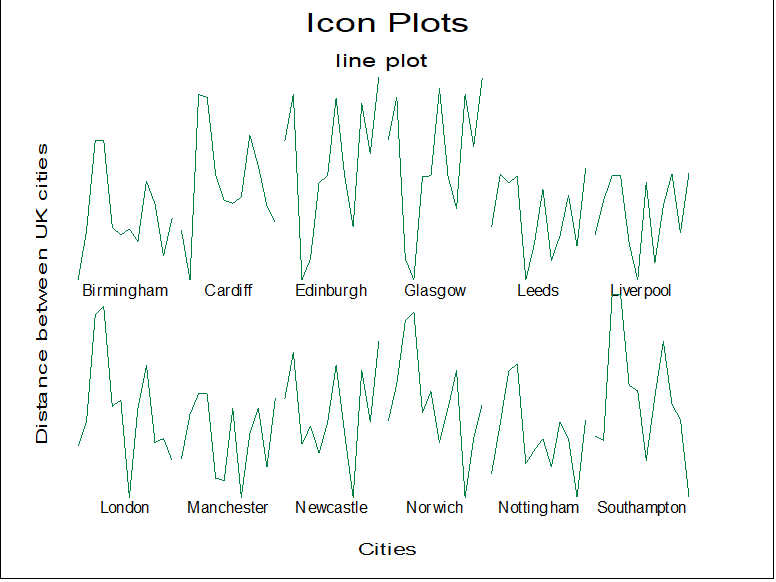
Line Plot: In line icon plot, a line is drawn for each row of the matrix. The height of the line, as it moves from left to right, represents the relative value of each selected variable.
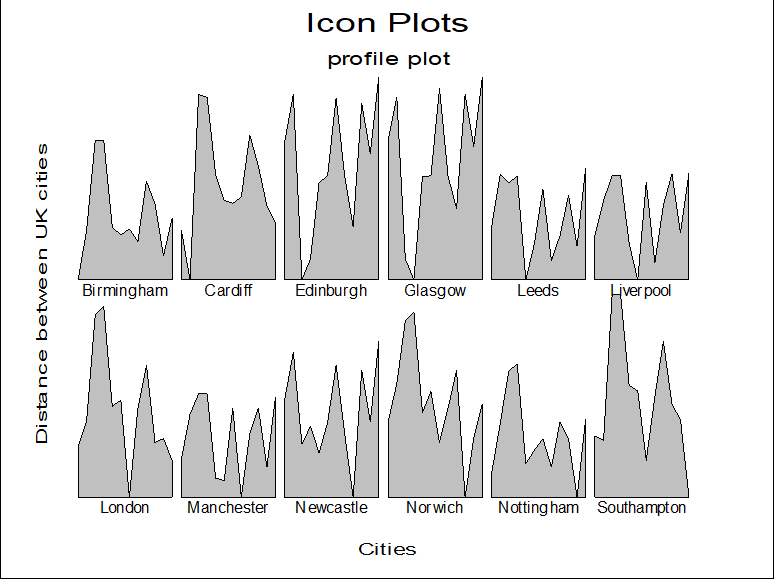
Profile Plot: In profile icon plot, the area enclosed under a line plot is drawn for each row of the matrix. The height of the area, as it moves from left to right, represents the relative value of each selected variable.
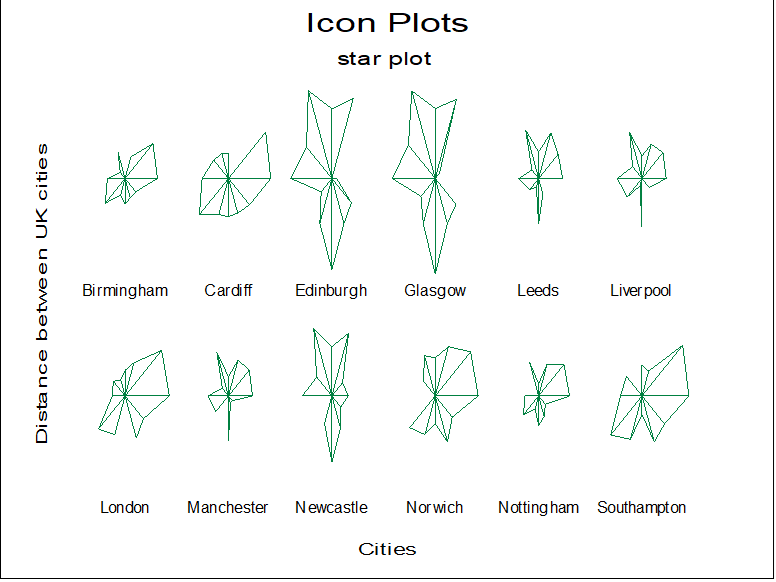
Star Plot: In star icon plot, a star like shape is drawn for each row of the matrix. The shape is constructed by connecting the rays which extend from the centre of the shape together. Each ray (plotted clockwise from the twelve o’clock position) represents a different variable. The length of each ray represents the relative value of a particular variable.
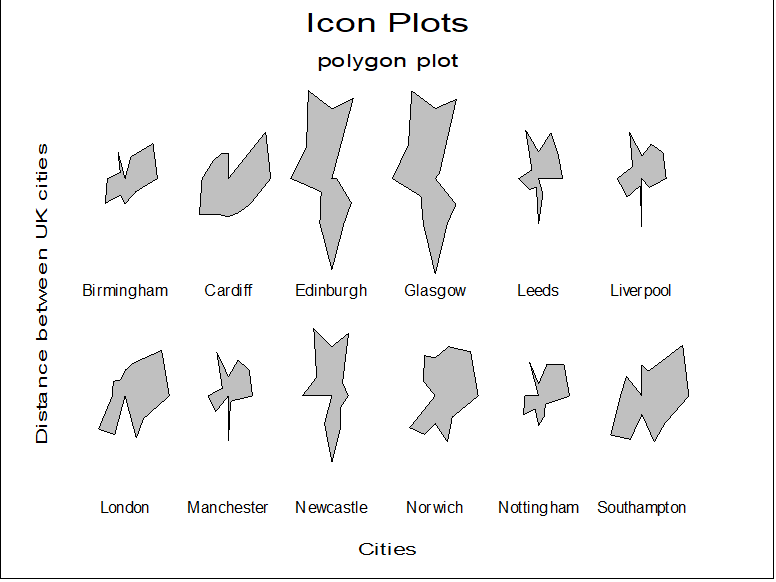
Polygon Plot: In polygon icon plot, a polygon is drawn for each row of the matrix. The distance of each vertex from the centre, as it rotates clockwise, represents the relative value of a particular variable.
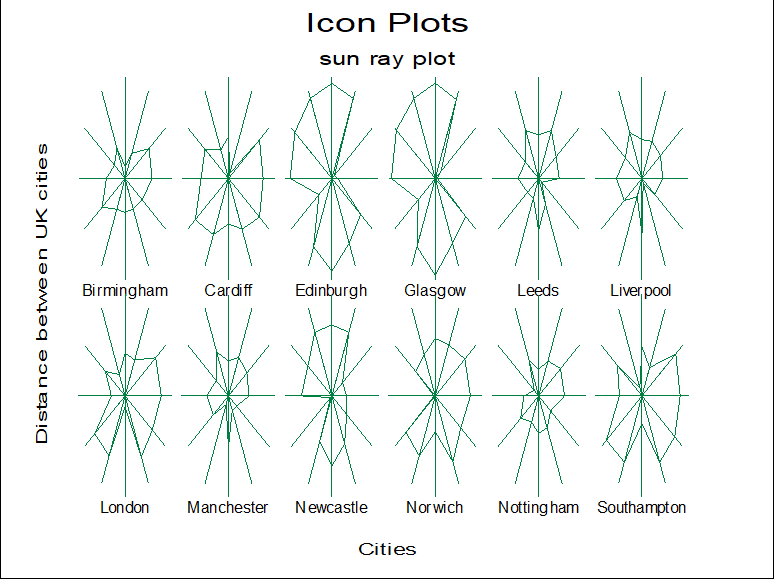
Sun Ray Plot: In sun ray icon plot, a star like shape is drawn for each case. Each ray (plotted clockwise from the twelve o’clock position) represents a different variable. The length of the ray represents 4 standard deviations for each variable, the middle of the ray the mean value of the variable, the end of the ray the mean + 2 standard deviations and the centre of the shape the mean – 2 standard deviations. Values for each parameter are connected by a cord.
Pie Plot: In pie icon plot, a small pie chart is drawn for each row of the matrix. Each piece of the pie (plotted clockwise from the twelve o’clock position) represents a different variable.
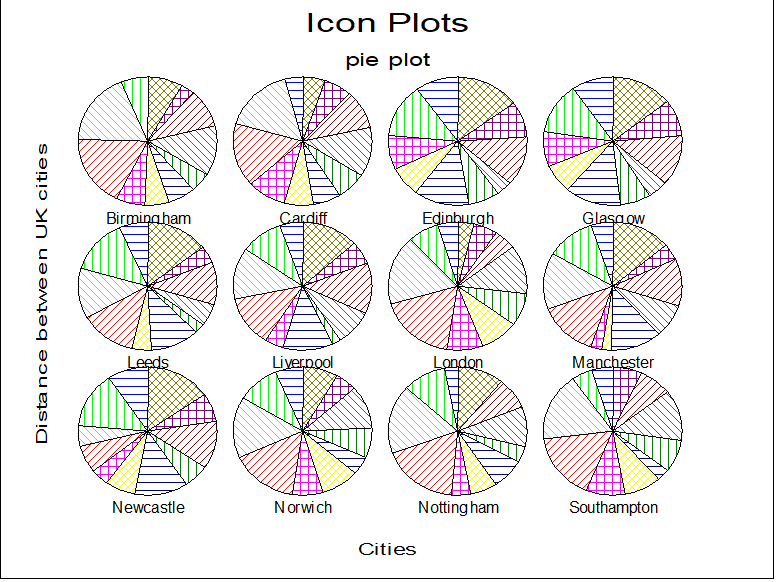
The size of each piece represents the relative value of each variable. This means that if all variables are proportional to each other, then all pie segments will be identical. This is not the case with the other Icon Plots.
Chernoff Faces Plot: In Chernoff faces icon plot, a face is drawn for each row of the matrix. Features on the face represent the relative value of variables. This plot will only work with up to 18 variables.
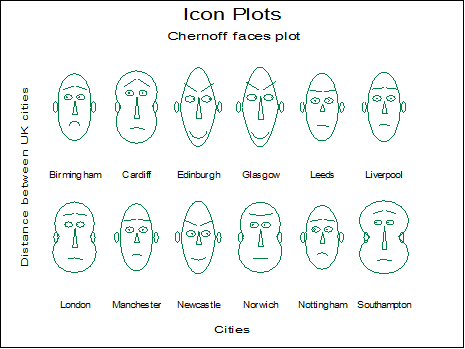
The features controlled are:
Curvature of mouth Angle of eyebrow
Eccentricity of upper face Eccentricity of lower face
Length of nose Height of centre of mouth
Position of pupils Length of mouth
Height of eyes Separation of eyes
Face height Face width
Nose width Eccentricity of eyes
Length of eyes Radius of ears
Length of eyebrows Height of eyebrows